
Automatic Unpacking Station (AUS)
2019/2020 case study
Automatic unpacking station (AUS) was introduced 3 years later as an addition to the Multi Jet Fusion 5200 series, as a result of ongoing user validation of the solution’s workflow with the customers. My role in this project included UX research, creation of the high-level UX workflows, as well as managing the team of Interaction, Visual designers plus ID and Validation roles.
Putting into context.
In 2019 HP introduced MJF 5200 - second generation of its powder-bed 3D printing solution - faster-better-stronger and production ready solution, that got a positive initial feedback from the customers.
However, during early validation stages with alpha/beta customers, additional gaps were identified for the large volume clients, that resulted in creating new HW and SW assets to complete the initial offering.
Analysing the workflow.
When analysing E2E workflow with the customers, we encountered several gaps both in HW and SW ecosystems, that had to be addressed:
Lack of E2E monitoring of the 3D Printed Build before and after the printing (only printing stage monitoring is availabe)
Inefficient use of hardware (Build Unit used for cooling the 3D Printed Build during 30+ hours, instead of being used for printing)
Tedious and time consuming process of unpacking 3D Printed Build (manual labour rather should be used for precise operations)
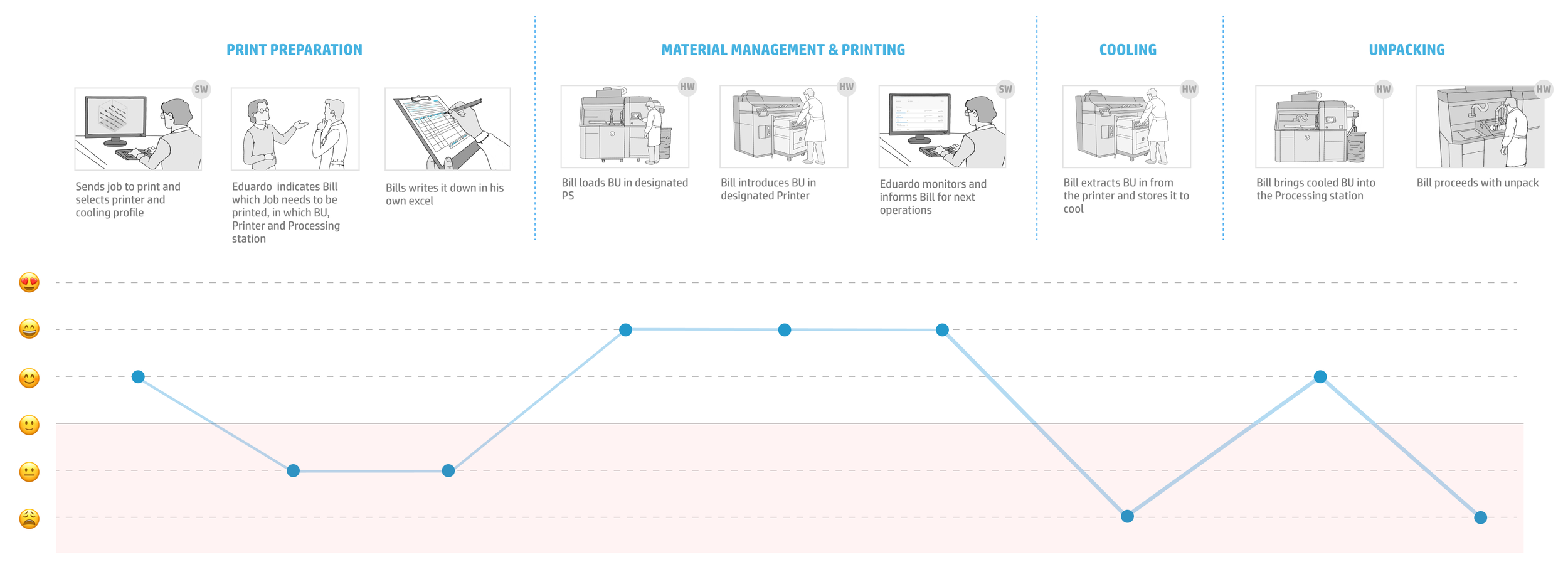
To resolve these inefficiencies we had to improve our SW offering, introduce more efficient way to cool the 3D printed Build and automate the unpacking process. After internal sessions with R&D and Product Management as well as workshops with customers new concepts were introduced. Natural cooling unit to address one pain point, and Automatic Unpacking Station, to address another. Of course both of these devices needed to be the part of SW ecosystem as well, as the lack of monitoring of the build cooling process was identified as another gap.

UX requirements.
We started with creating high level Experience objectives:
1. Support the value proposition with an efficient workflow that reduces operator labor
2. Enable efficiency & robustness of production with an E2E connected solution (print preparation, remote monitoring, centralised management and job traceability)
3. Maximize fluentness across the ecosystem with ID and UI consistency with the rest of the 5200 series
To continue narrowing them down to the specific features:
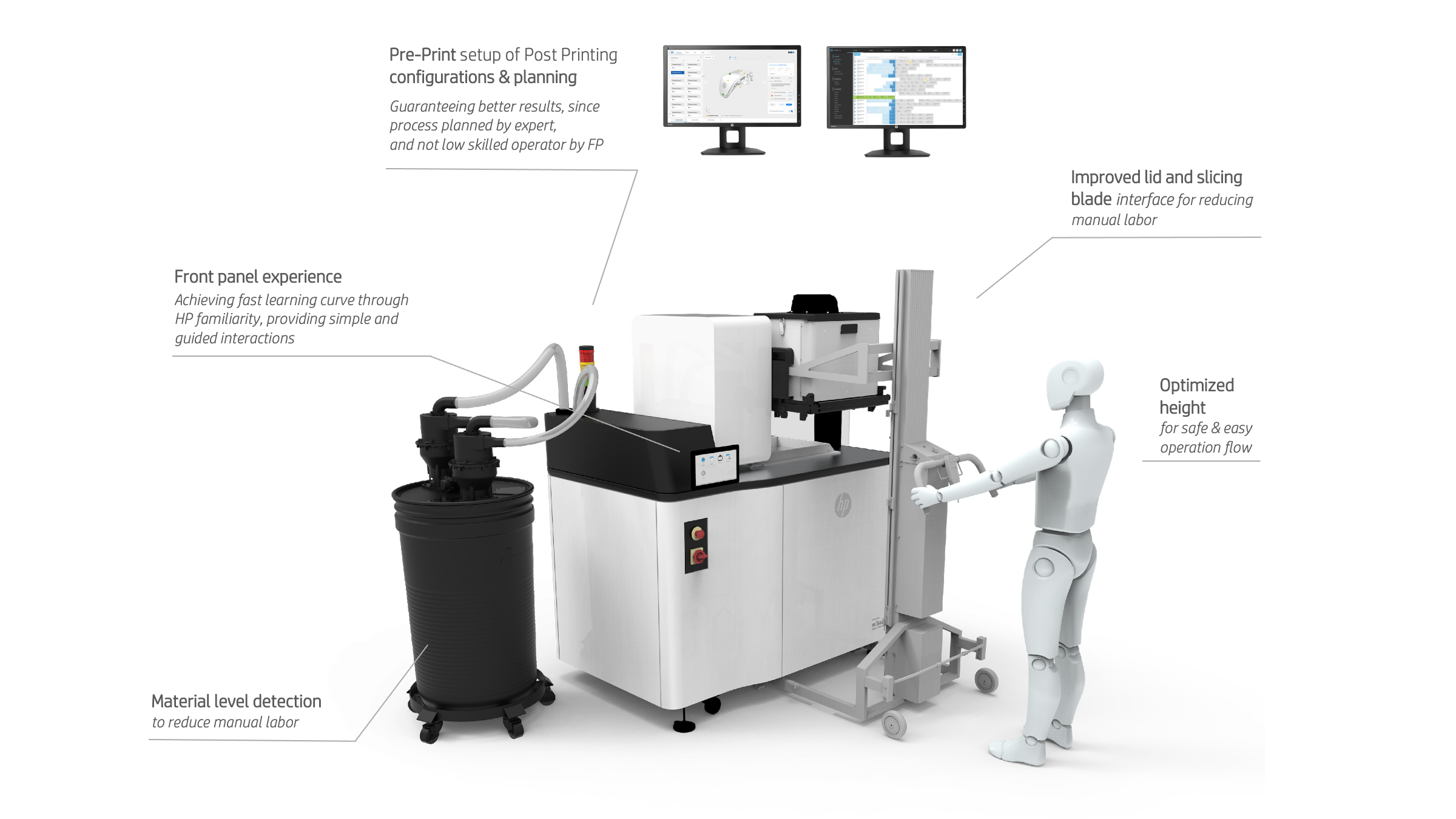
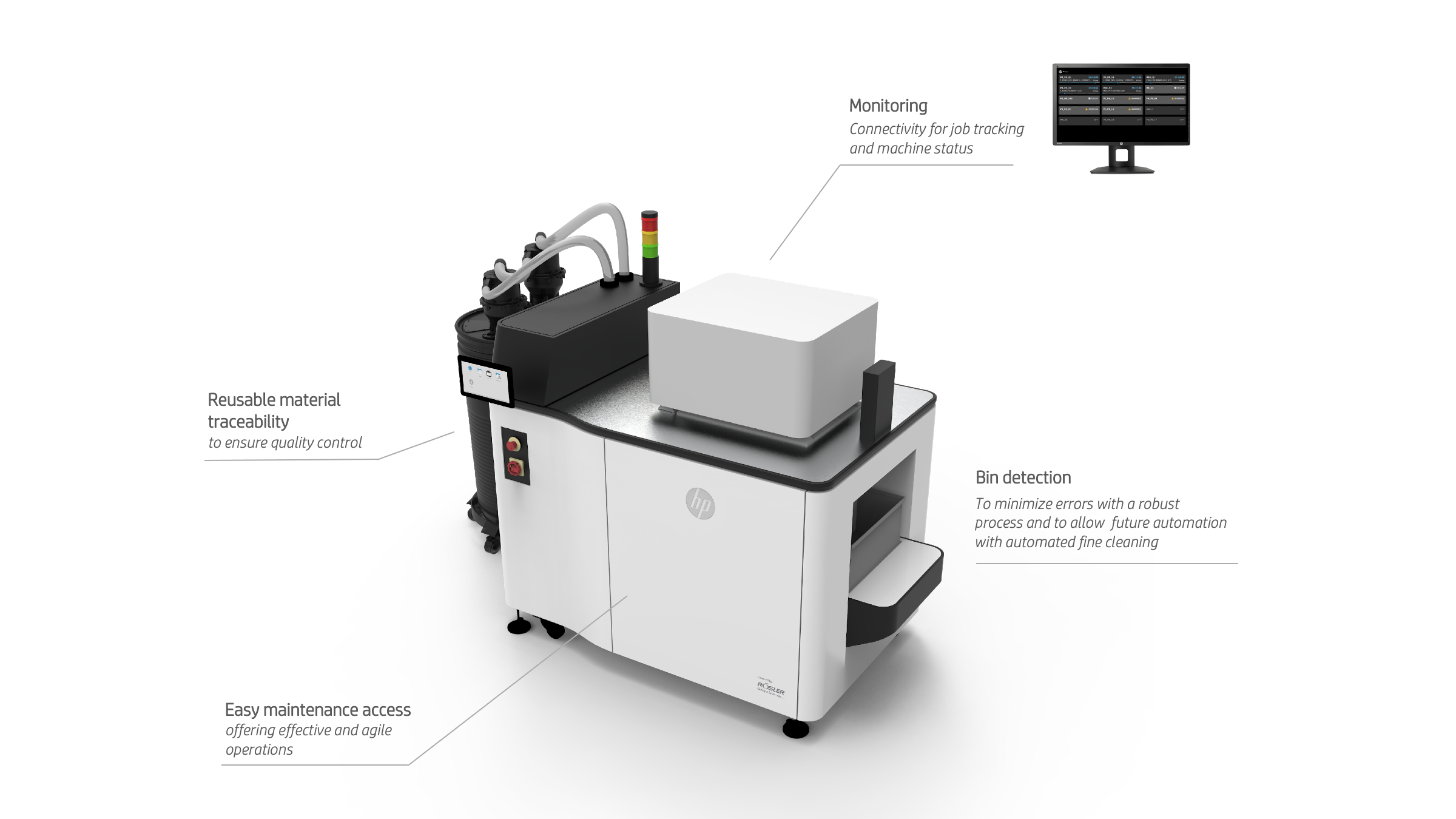
Now when the design objectives were set and agreed between all the stakeholders, we had to start moving from the beautiful abstract concept, to creating actual assets to improve the workflow.
Physical workflow.
First step in the design of HW solution, is of course mapping the step by step user’s operations to ensure that each step can be performed effectively in the optimal amount of time.
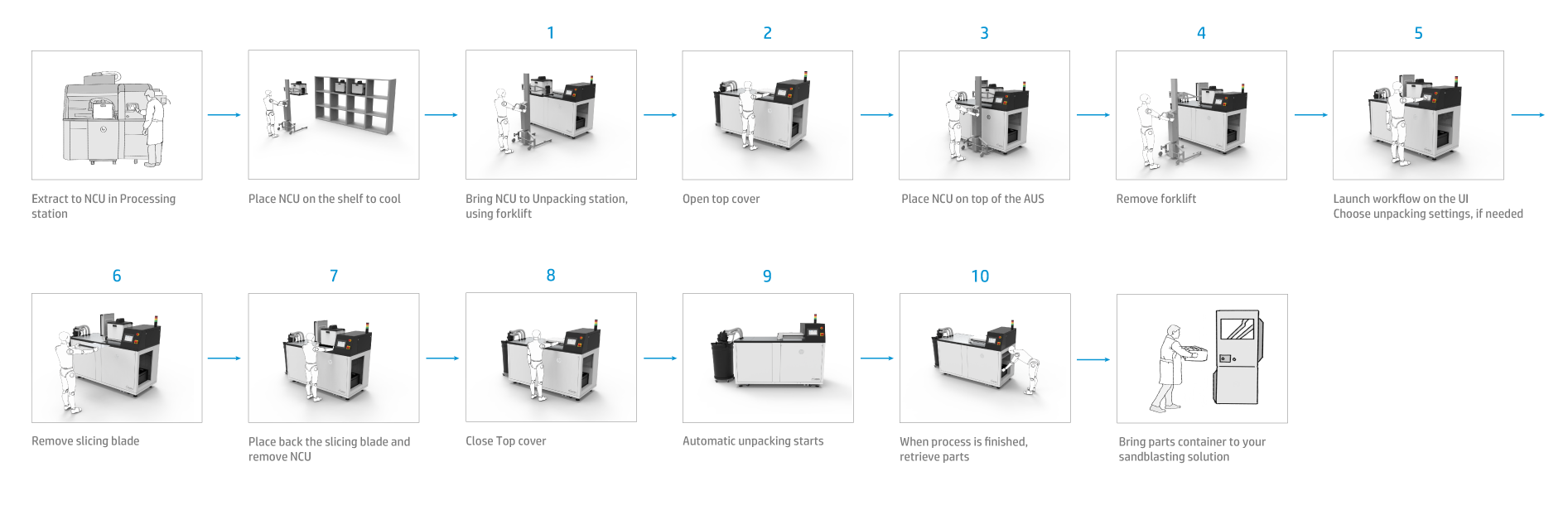
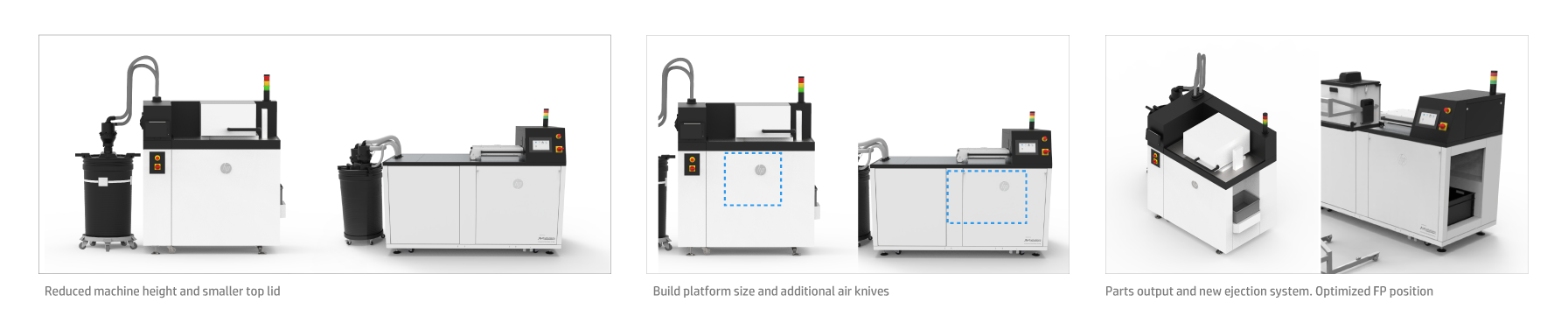
That’s when the HW design of the product goes through several iterations that may come out completely different from the first concept. Some examples below:
Control Panel (Local UI).
Each Multi Jet Fusion HW device is equipped with a Control Panel - graphical user interface that allows users to operate the machines.
Design system for MJF (color palettes, typography, iconography, UI elements, interaction design, and content strategy) has been developed for the first generation of the machines back in 2016, and has been maturing ever since.
With priorities clear, we could start working on the UI workflows and specific new UI elements, that were needed specifically for AUS and would complemente the existing design system.
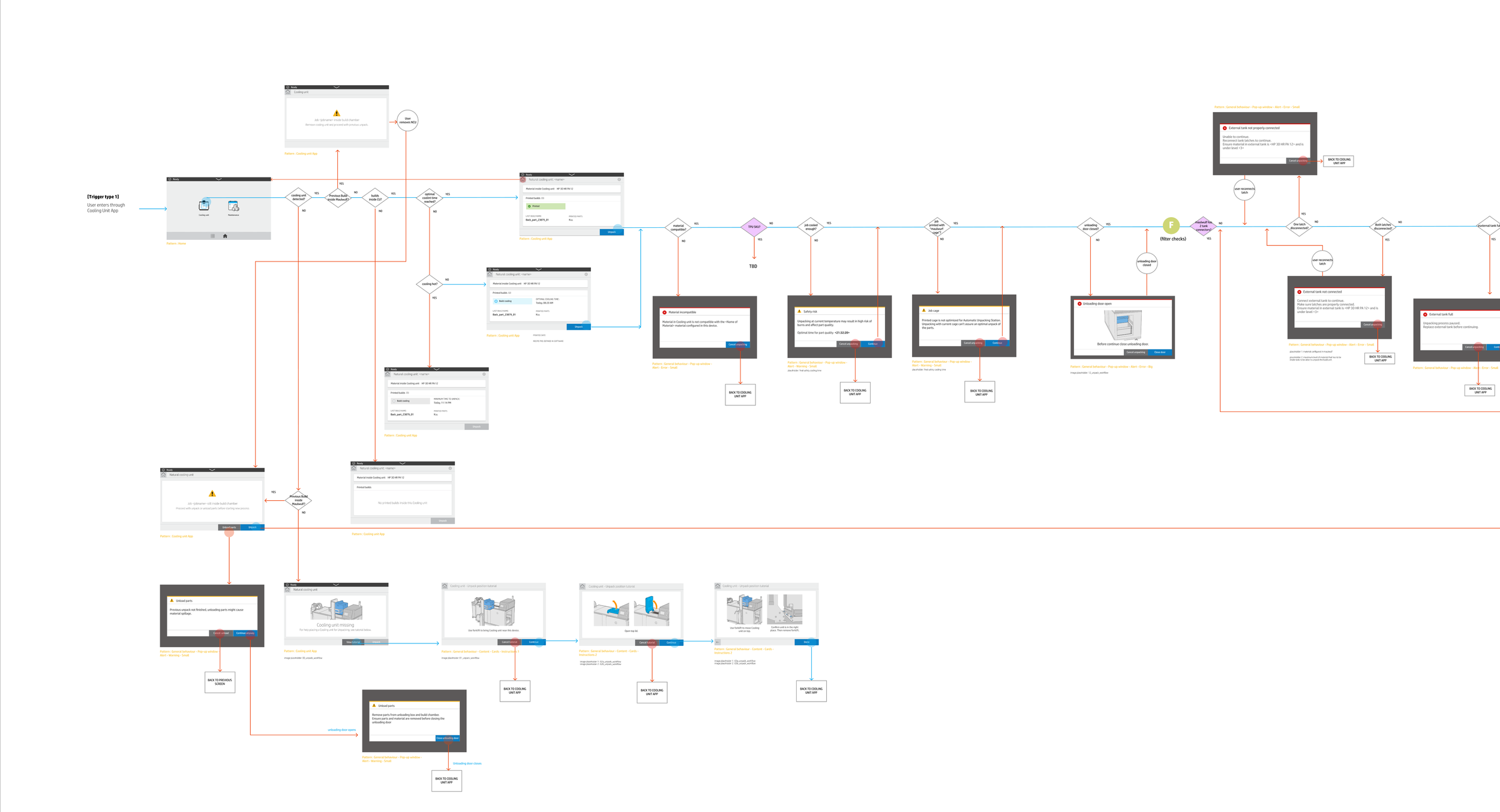
Below you can as an example of deliverable - main workflow of the AUS - automatic unpacking, that guides machine’s user through the operation.
Yet, of course nothing ever comes for free. Automatic Unpacking station has been developed in collaboration with external partner - AM Solutions - meaning that we had to adapt and evolve our Design System to fit new HMI requirements.
As a first step we created the list of all Use cases to establish which of them should form the part of MVP (at machine’s intro), and which could wait for next firmware release.
After that we mapped the use cases to the established Information architecture (both the parts that had to be replicated as well as new specific workflows and overall features).
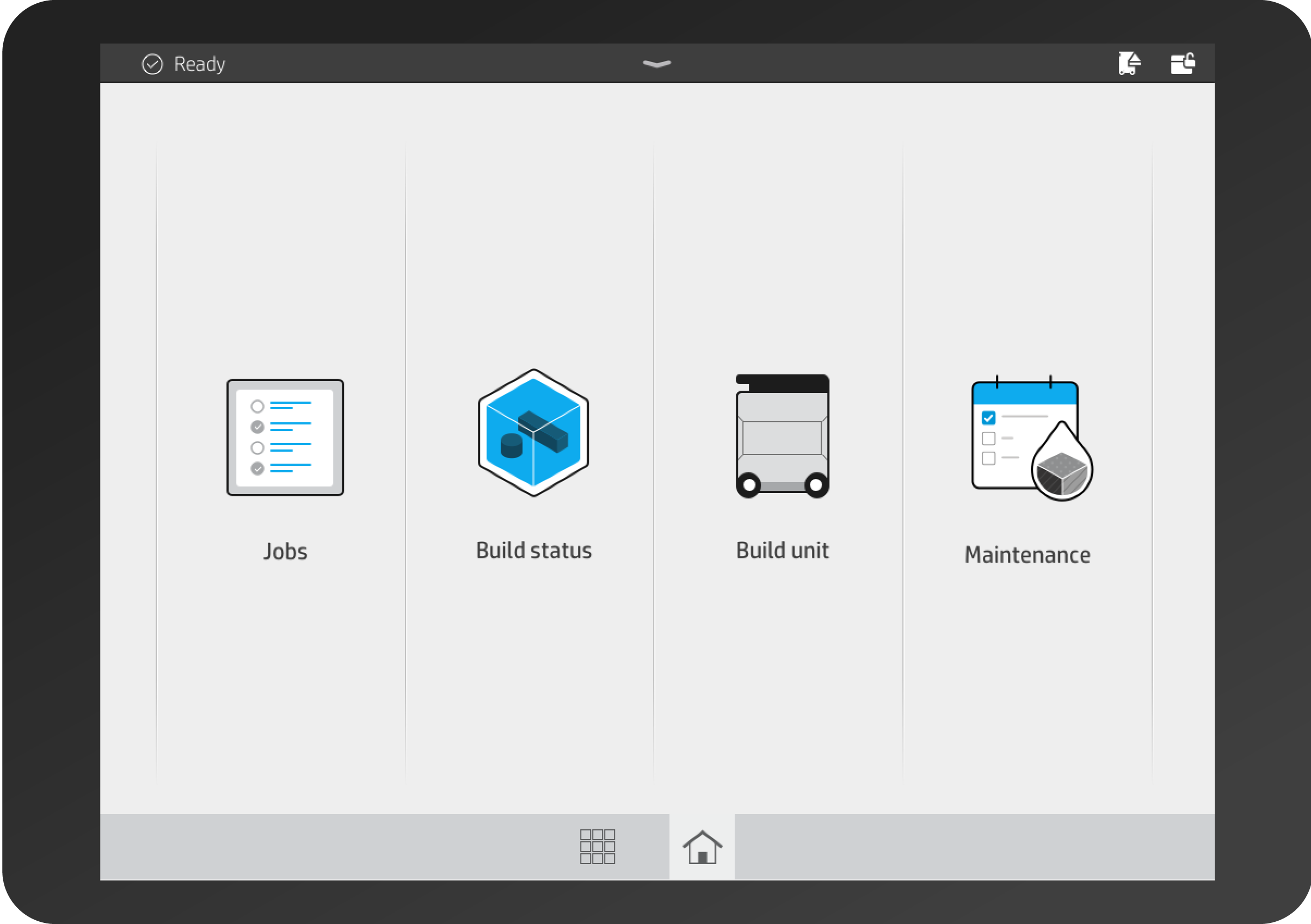
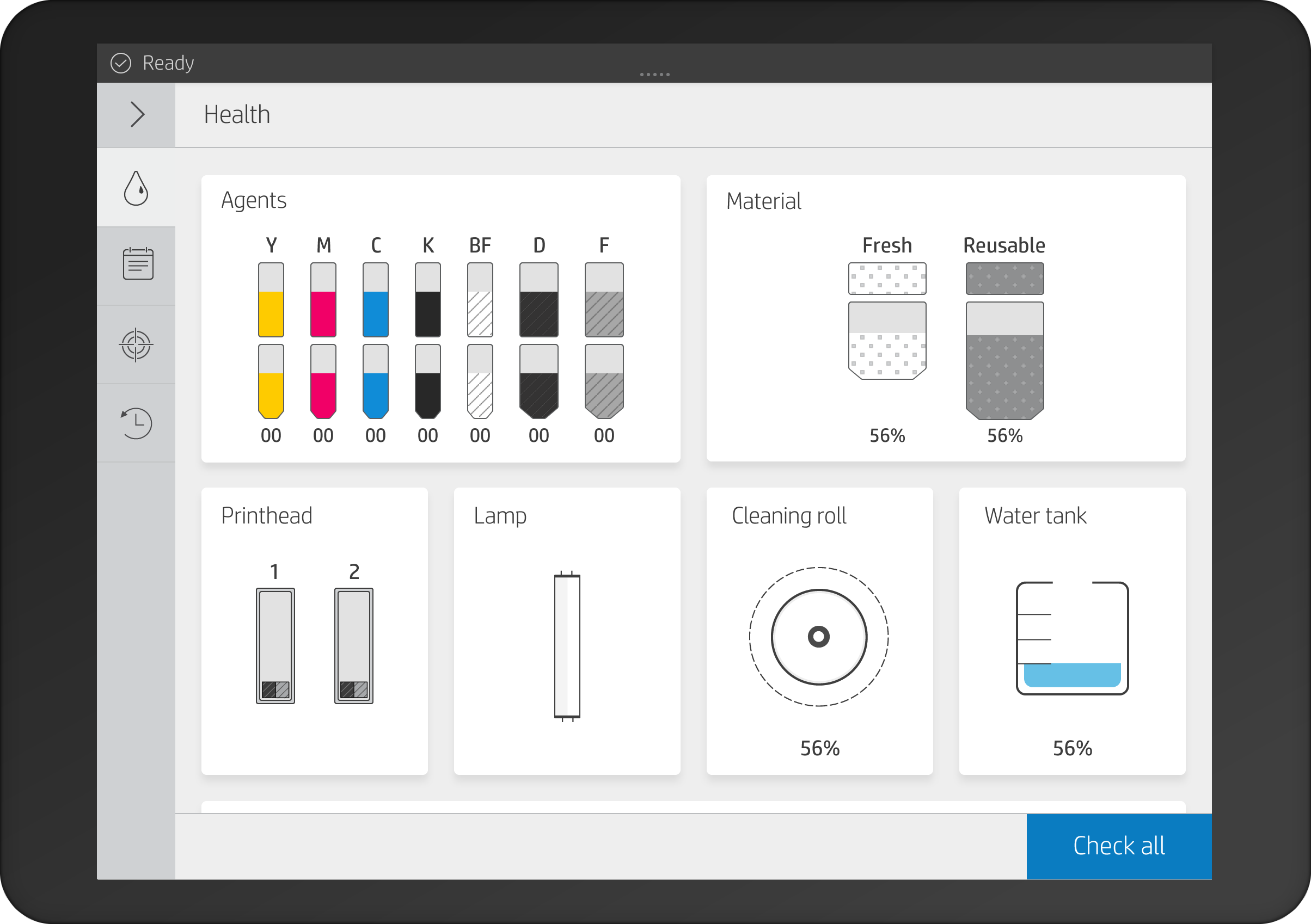
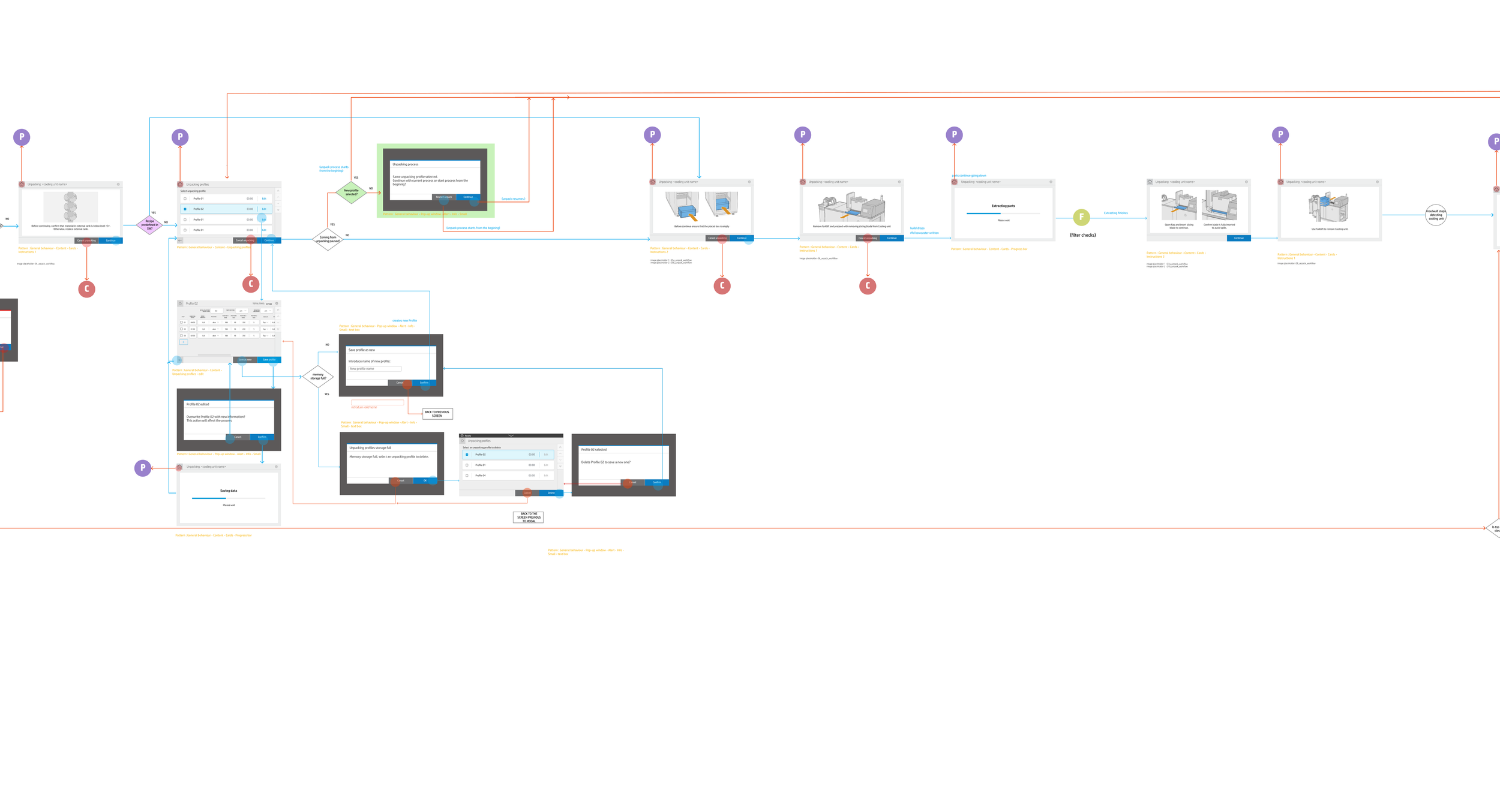
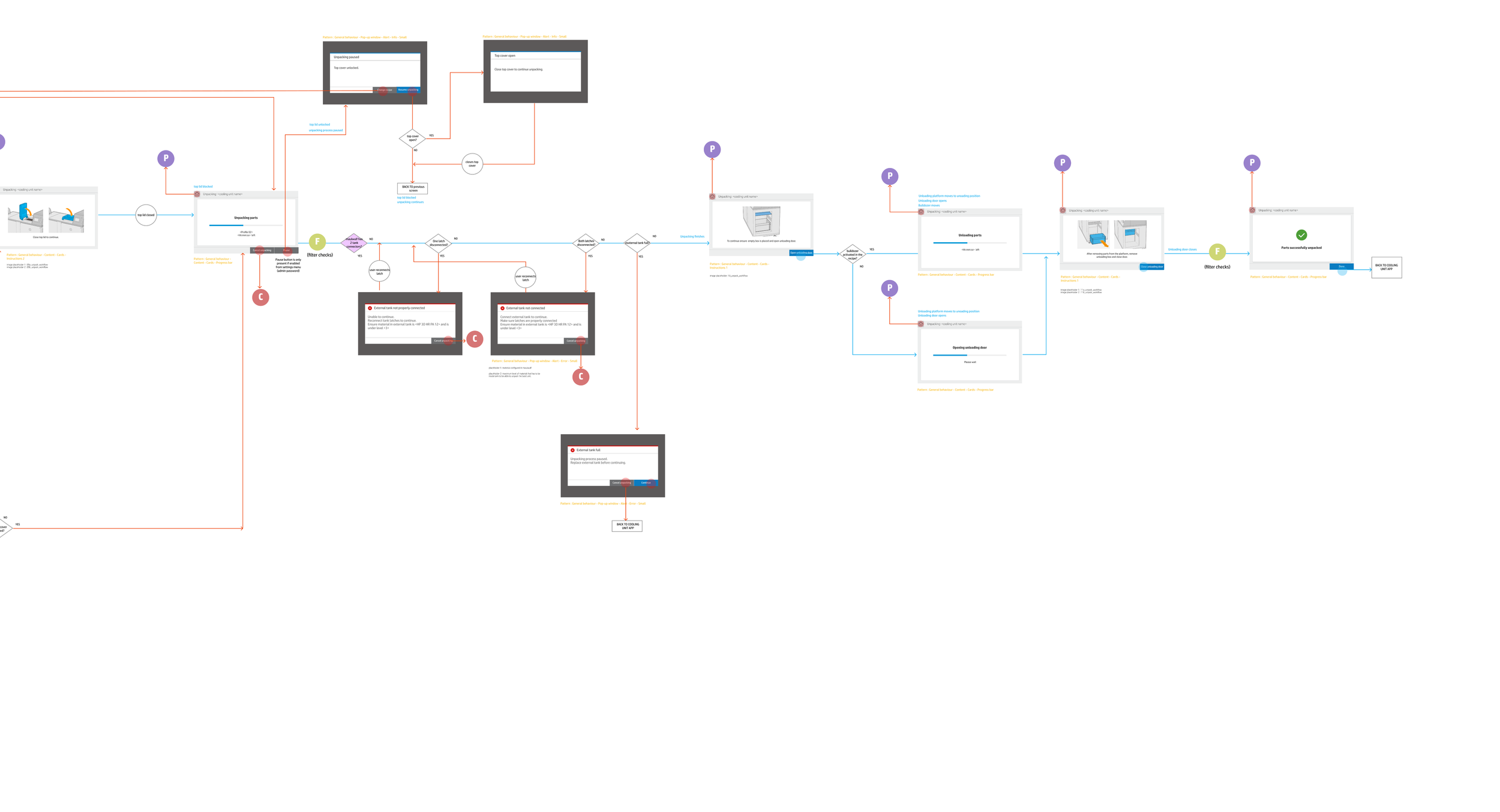
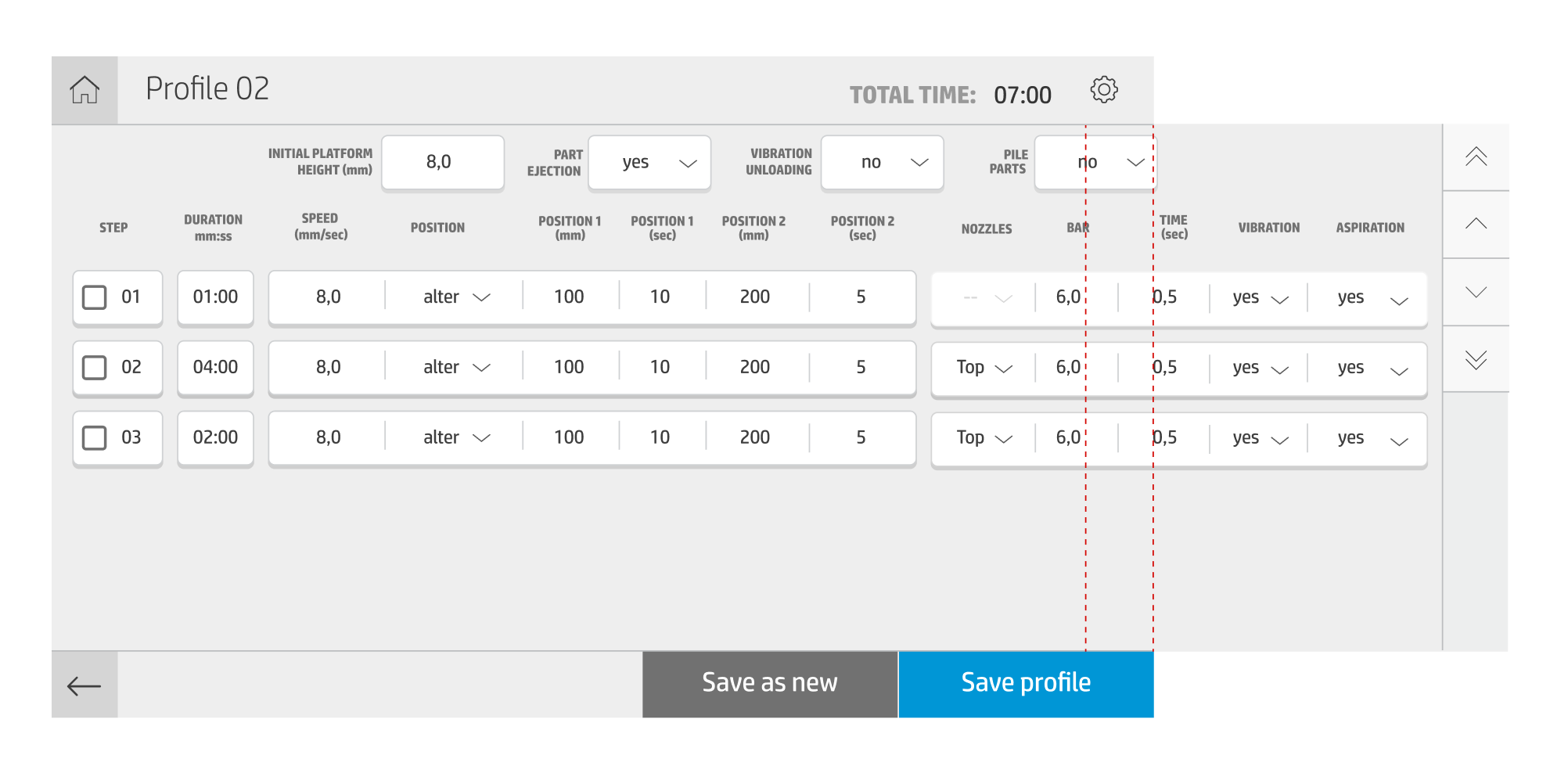
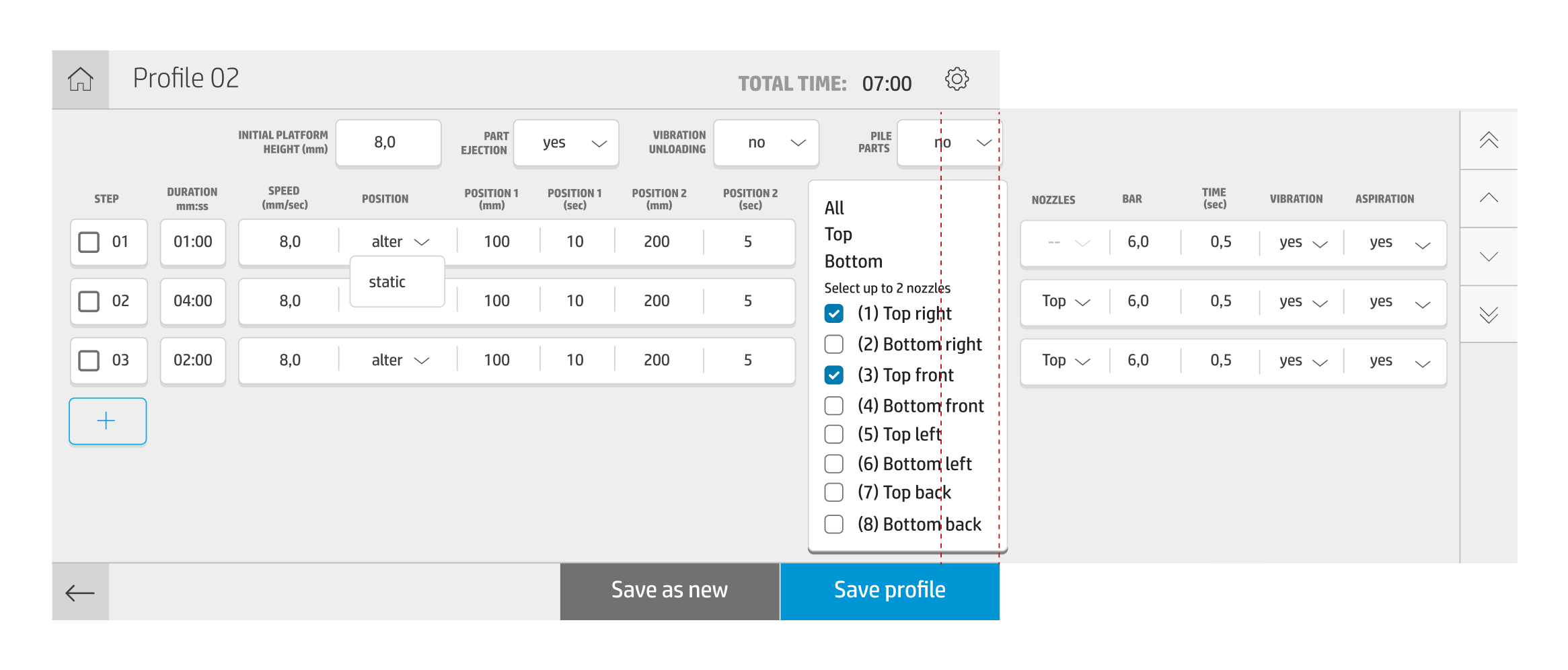
One of the main benefits of Automatic Unpacking station - is the liberty that is given to the user to manipulate the settings of the device to create the perfect unpacking profile that fits their specific 3D Build geometry. While giving the users the power to experiment, we ourselves encountered the design challenge - how to fit all the available options into the 8inch screen.
After explorations and several iterations, we introduced the new interaction for our users - horizontal scroll - to ensure that all the parameters are available in one screen.
Screenshots from specs
Screenshots from specs
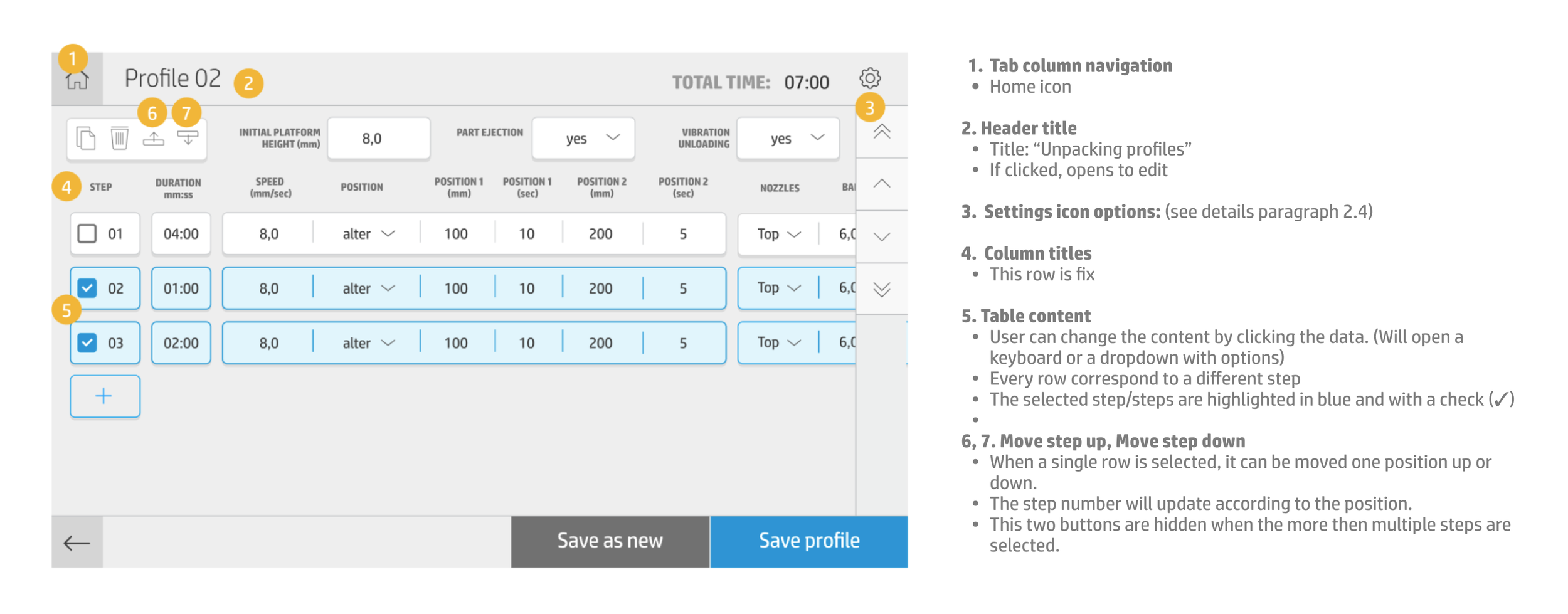
Screenshots from specs
Software solution.
As it was identified in the workflow analysis, the main gaps in current HP 3D Monitoring Solution (aka 3D center) were:
AUS monitoring - provide information of new station status at anytime given
Cooling time monitoring - clearly show how much time left for 3D build to cool
Job traceability - to know in which device and in what state 3D build is
All of these requests were addressed in the updated version of 3D center.
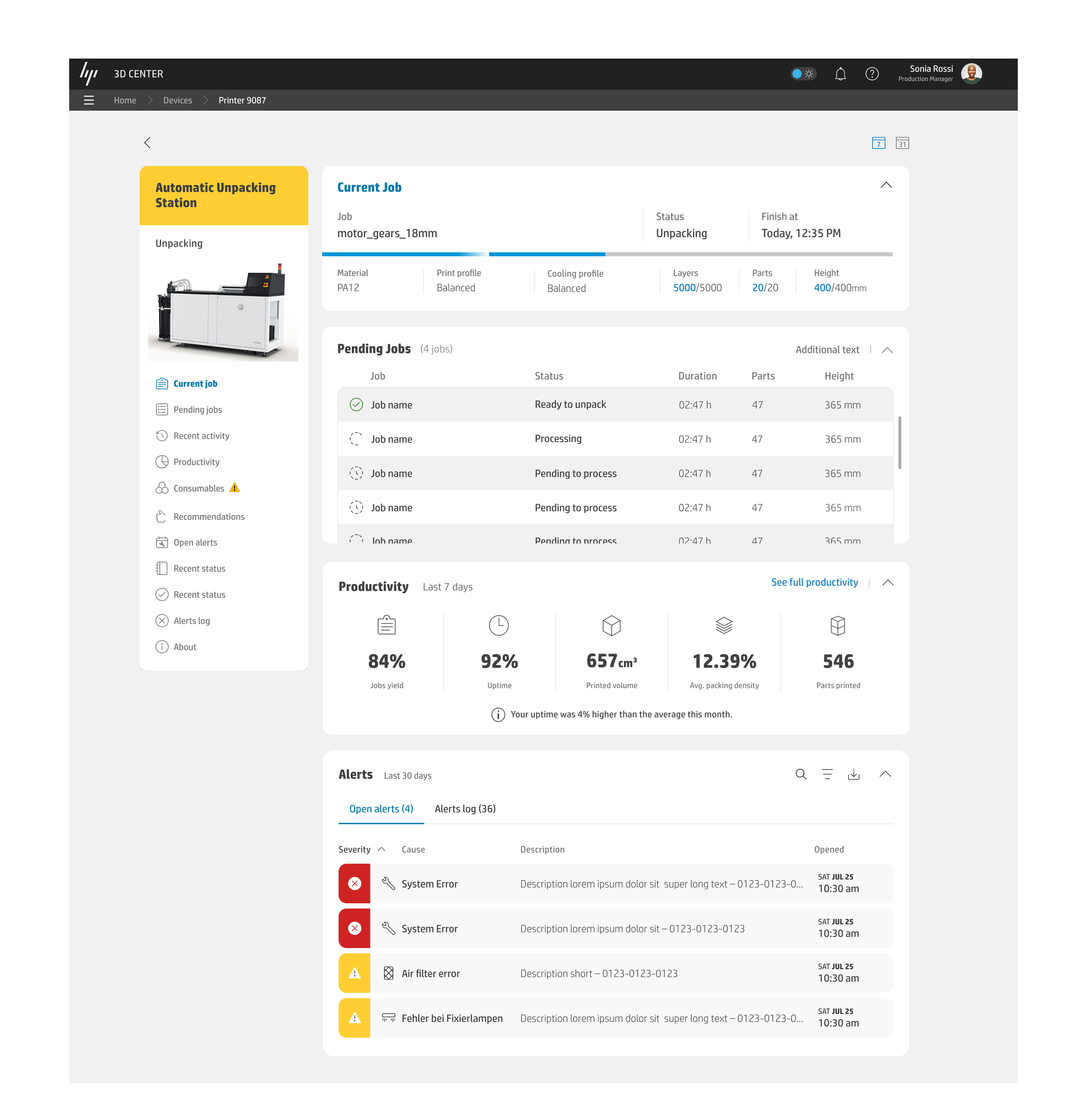
Screenshots from final specs
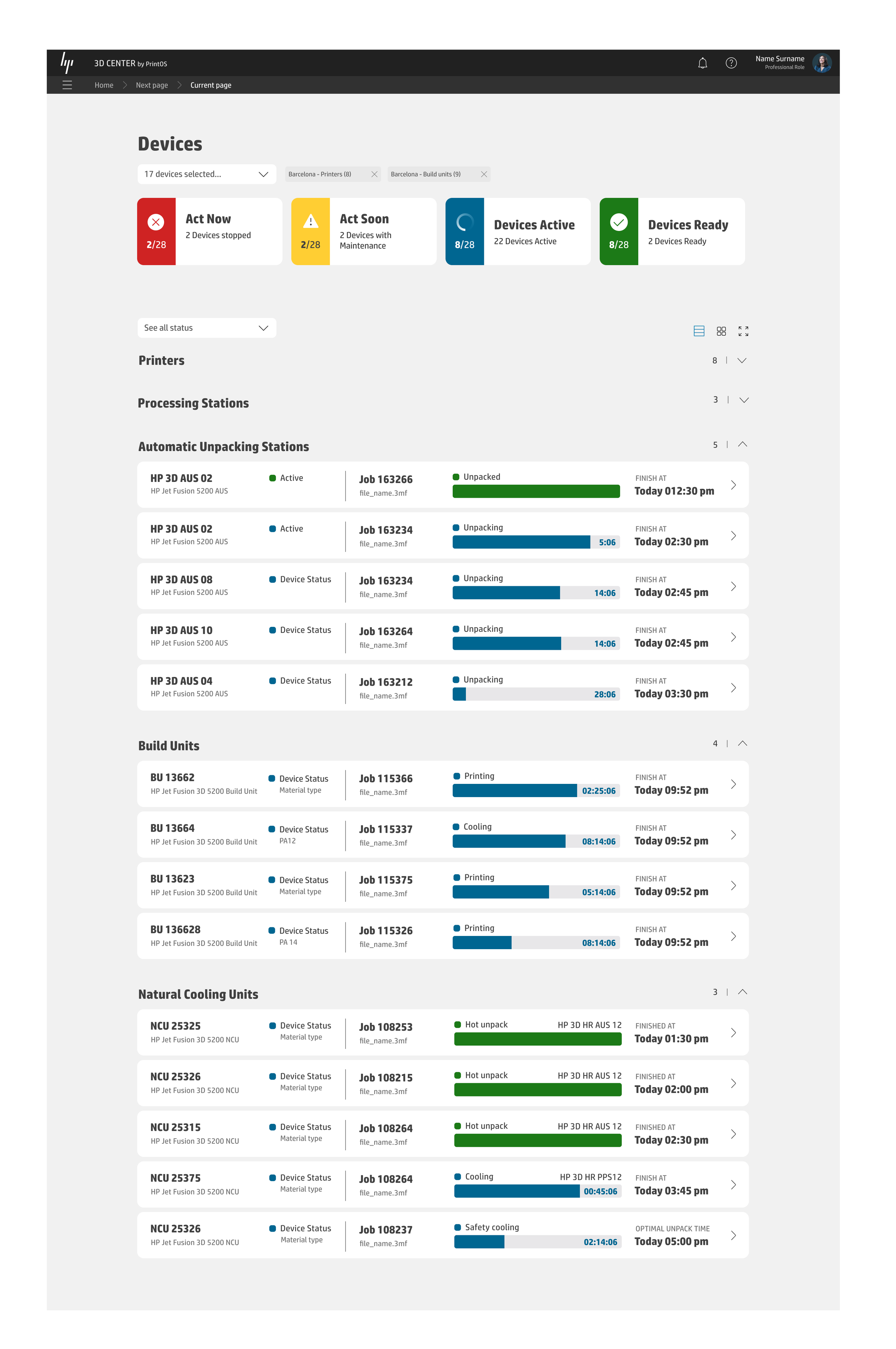
Screenshots from final specs
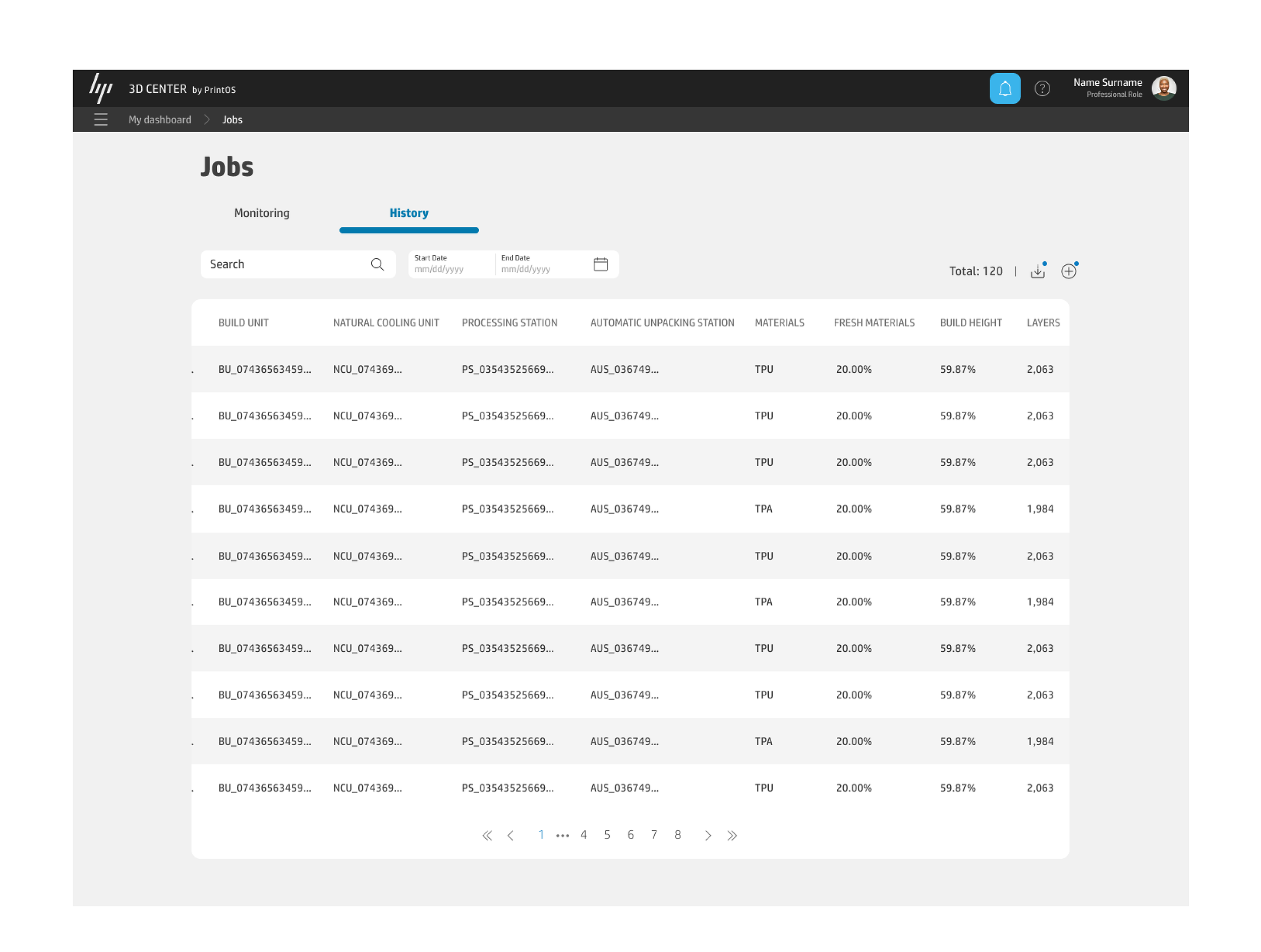
Screenshots from final specs
Validation.
With validation of E2E operational workflow, our goal was to understand how automating certain steps in customer-facing process will affect upstream or downstream handoffs and connections. This can allow us to understand new inefficiencies, capturing a task driven value delivered by the automatic unpack of the 3d printed parts. Finally to understand what is the final effect on the end part quality of the parts and how does it impact production planning, monitoring, material and part traceability and maintenance.
Testers were asked to perform the tasks of the unpacking workflow, so they could provide us their feedback about the experience taken on both HW and UI prototyped proposals, regarding the following areas: relevance, understanding, usability and ergonomics.
Due to the product development during COVID, we had to recruit sample users internally: we majorly asked technicians from our Lab, that work with MJF systems daily, as well as expert matter roles. To ensure profiles variety we also included people height percentile.
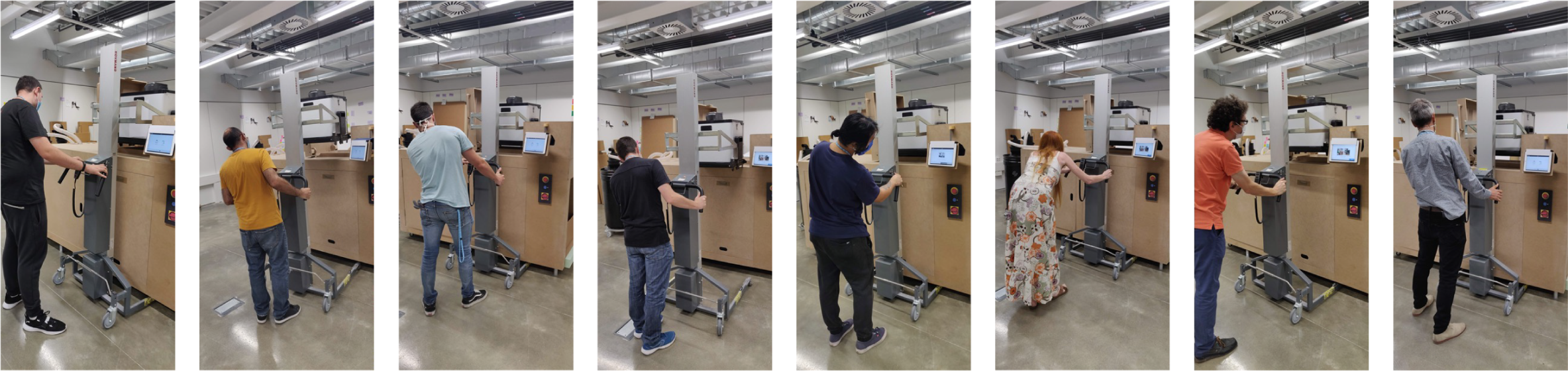
We prepared the detailed test plan, to ensure that the whole ecosystem is covered in this validation: From SW assets (we used paper prototypes for 3D Center screens) to the HW solution: for the Control Panel we prepared click-through prototype using Ipad the same size as potencial HMI, and for the hardware itself carton mockup.
Examples of test questions:
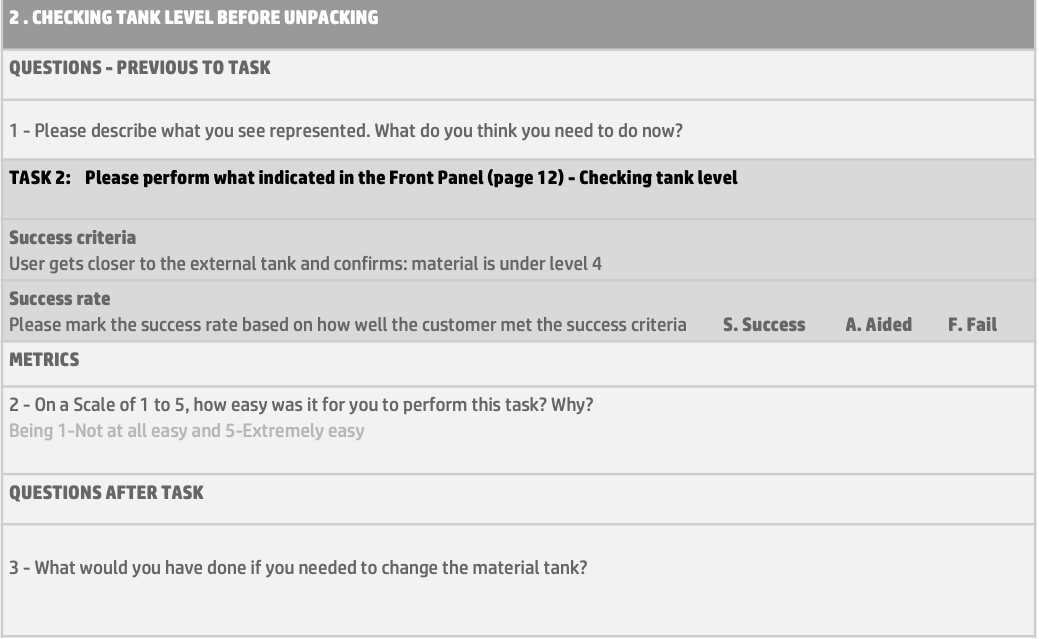
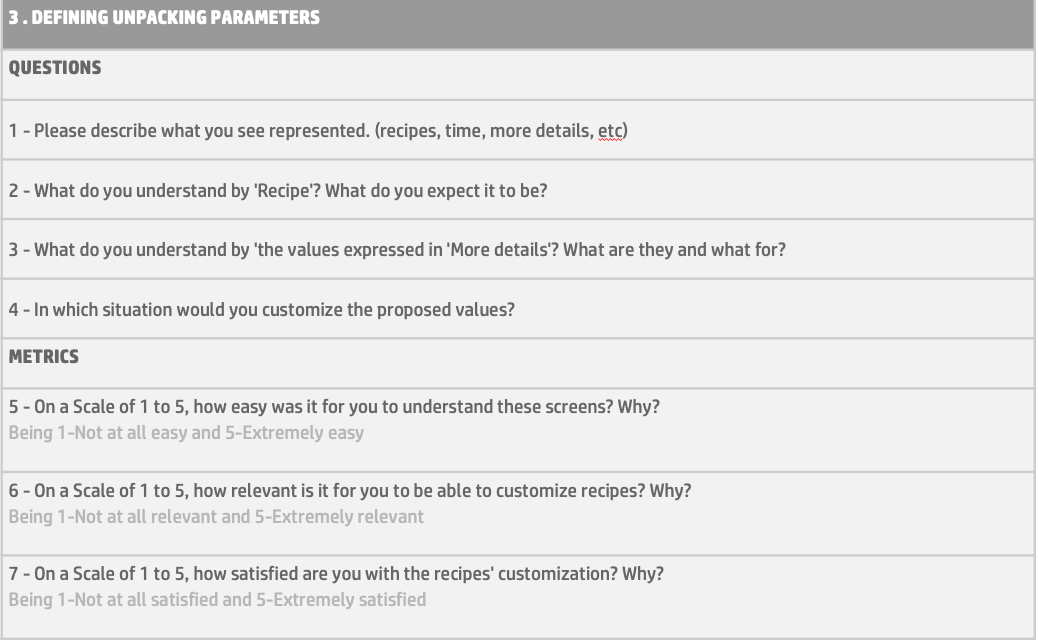
Thanks to this first internal test, we were able to get a valuable feedback from the sample users that helped us to refine our design proposal further, better understand the needs and pain points of it users while performing the unpacking workflow.
Those inputs allowed us to have greater awareness to make decisions more securely, and will help on better addressing the further necessary development.